
 Resources & Catalogs
Whether you are setting up a cozy apartment in Southeast Asia, a spacious villa in the Middle East, or a modern urban home in Africa, consumers often purchase a premium 65-inch television without calculating the exact vertical clearance needed for their specific room layout. They place these expensive screens on random furniture pieces, leading to a severe mismatch between the display and the seating environment. This forces viewers to crane their necks upward or lose off-axis picture quality entirely. You cannot guess your way to a comfortable home theater setup. Proper placement requires a strict, math-based ergonomic framework. You must determine the exact furniture height required based on your specific seating dimensions, natural posture, and exact screen size. Following a calculated approach ensures you maximize panel performance while eliminating chronic physical strain. We will break down the exact measurements needed to align your display perfectly with your natural line of sight.
The Universal Target: The center of a 65-inch TV should sit exactly at seated eye level—typically between 42 and 48 inches (106 to 122 cm) from the floor.
The Ideal Stand Height: For most standard living room setups, a TV stand measuring between 24 and 30 inches tall provides the optimal base for a 65-inch screen.
The Calculation: Target TV Stand Height = (Seated Eye Level) minus (16 inches, representing half the height of a standard 65-inch TV) minus (TV stand legs/base height).
The "Slouch" Factor: Calculations must account for natural, relaxed slouching or reclining, which can lower a viewer's active eye level by 2 to 3 inches compared to rigid, upright posture.
Peripheral Factors: Final stand selection must account for soundbar clearance, seating distance, and primary viewing posture (upright vs. reclined).
Successful television placement hinges on three strict criteria. You need zero neck strain, optimal panel brightness, and absolutely no color shifting. Achieving these outcomes requires aligning the physical center of the screen with your natural gaze. Human anatomy dictates how we interact with large displays. When you sit on a sofa, your neck prefers a neutral cervical spine position. A healthy resting posture involves a 0-to-15-degree downward gaze. Forcing your eyes to track upward breaks this ergonomic rule. It shifts the weight of your head backward, compressing cervical discs over long movie sessions.
The Vogel’s Principle reinforces this physiological baseline. The optimal height of the television is at eye level or slightly below when sitting down. This keeps the visual center comfortably in the lower half of your field of view. When installing displays in residential spaces across diverse global markets, we constantly see the negative effects of ignoring this principle. People mount screens above fireplaces or place them on tall dining buffets. They complain about headaches and neck stiffness weeks later.
Improper height introduces severe physical and technical consequences. Chronic neck and shoulder fatigue develops quickly from looking up at a screen placed on furniture that is too tall. Viewers often misdiagnose this pain as general fatigue rather than poor room ergonomics. Technical degradation occurs simultaneously. Vertical off-axis viewing hurts LED and certain OLED panels. Contrast drops and color accuracy shifts significantly if the viewer sits below the center axis of the screen. You lose the deep blacks and vibrant colors you paid for simply because the screen sits six inches too high.
Panel technology dictates strict viewing angles. Modern displays use directional light emission. If you sit below the optimal vertical axis, the light scatters before reaching your eyes. This results in a washed-out image. A proper TV stand eliminates this issue by keeping the panel perpendicular to your line of sight. You get the maximum brightness and color volume the manufacturer intended.
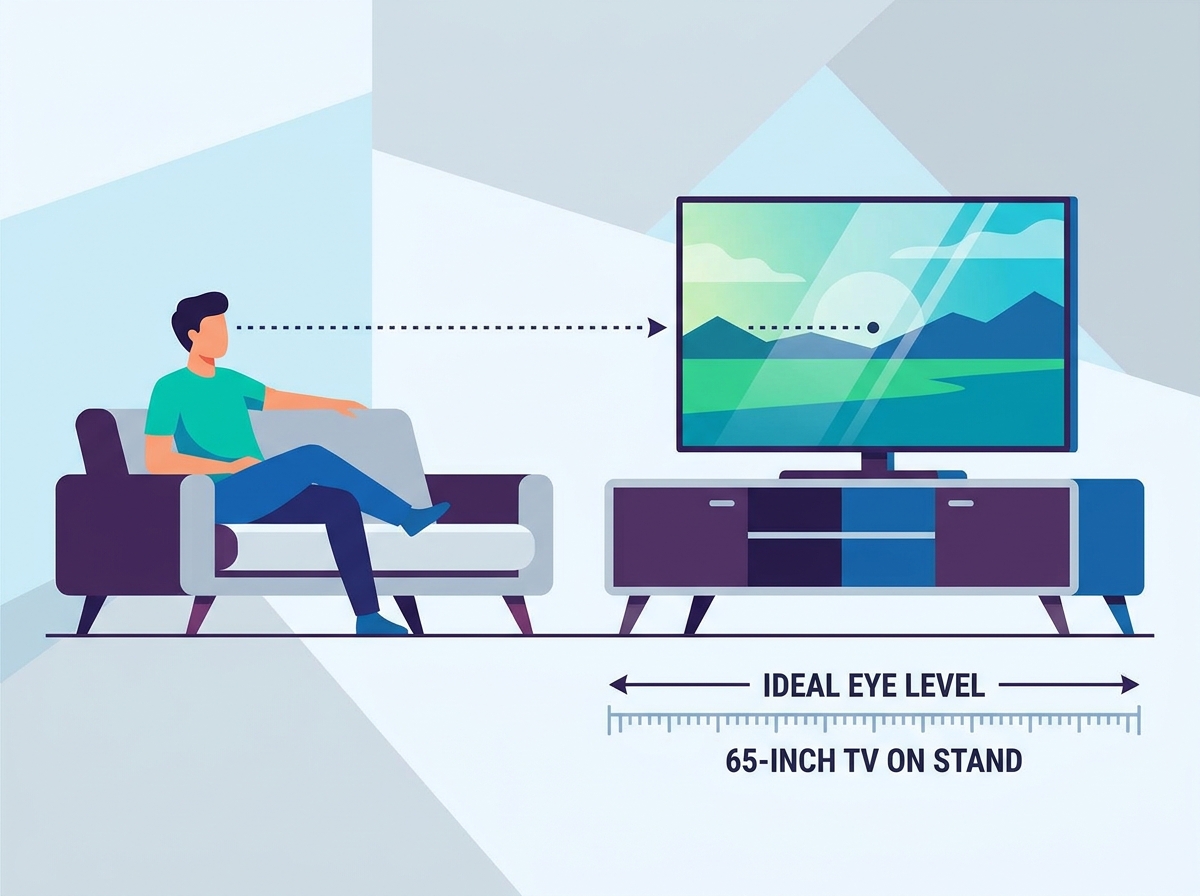
You must measure your exact environment to find the right furniture. Do not rely on generic retail recommendations. Grab a tape measure and sit on your primary couch. Assume your normal, relaxed viewing posture. Do not sit military-straight. Measure the distance from the floor directly to your eyes. This single measurement dictates your entire setup.
Measure your seated eye level while relaxing on your primary sofa.
Subtract the slouch factor if you tend to recline heavily during movies.
Measure the exact height of your 65-inch display without its factory legs.
Divide the display height in half to find the physical center point.
Subtract the center point measurement from your seated eye level.
Subtract the height of the factory legs if you plan to use them.
While the average upright seated eye level hits 42 to 44 inches, natural lounging changes the math. Slouching drops this baseline down to 40 inches. You must use this relaxed measurement as your primary anchor point. If you design the room around a rigid, upright posture, you will end up looking up at the screen the moment you relax into the cushions.
Next, factor in the physical dimensions of the display. Bezels vary slightly across manufacturers, but a standard 65-inch television measures approximately 32 inches tall. The exact center point sits 16 inches from the bottom edge. A comfortable home-theater-standard clearance from the floor to the bottom of the screen itself typically ranges from 26 to 32 inches. This leaves enough room for a center channel speaker without pushing the screen too high.
Use this core formula to determine your exact furniture requirements: Seated Eye Level - 16 inches (Half TV Height) - TV Base/Leg Height = Ideal Furniture Height. If your eye level is 42 inches, and the center of the screen is 16 inches, you need the bottom of the screen to sit at 26 inches. If the factory legs add 2 inches, you need a 24-inch tall unit.
Measurement Step | Imperial Example | Metric Example |
|---|---|---|
Seated Eye Level | 42 inches | 107 cm |
Minus TV Center (Half Height) | - 16 inches | - 41 cm |
Minus TV Stand Legs/Base | - 2 inches | - 5 cm |
Ideal Furniture Height | 24 inches | 61 cm |
Furniture manufacturers build media consoles in distinct height tiers. Each category serves a specific room layout and seating arrangement. Choosing the wrong category guarantees an uncomfortable viewing experience. You must match the furniture category to your specific room dynamics and seating style.
Low-profile units sit close to the floor. They suit modern, low-slung furniture perfectly. If your sofa sits lower than standard height, you need a low-profile unit. This style is exceptionally well-suited for interior design trends popular in the Middle East and Southeast Asia, where lower, more relaxed seating arrangements or floor-level setups are culturally favored. They also work exceptionally well for tiered home theater seating or rooms with massive viewing distances. Keeping the screen lower prevents front-row viewers from straining their necks. We often use these in dedicated media rooms where the seating consists of deep, reclining theater chairs.
This category represents the universal sweet spot for living rooms. Standard height units align perfectly with typical 18-inch sofa seat heights found everywhere, from growing African urban markets to global metropolitan areas. If you measured an eye level around 42 inches, a 24-inch to 30-inch console places a 65-inch screen exactly where it belongs. It balances aesthetics with strict ergonomic requirements. Most standard living rooms benefit from this height range, providing enough internal storage for receivers and gaming consoles without compromising the viewing angle.
Avoid tall consoles in standard living rooms. They push the center of a 65-inch screen too high for seated viewing. However, they remain ideal for specific scenarios. Bedrooms require taller units because you view the screen from a high mattress. Open-concept spaces also benefit from tall sideboards if viewers primarily sit on high bar stools or watch while standing in the kitchen. If you must use a tall unit in a living room, you need to sit at least 12 feet away to minimize the upward viewing angle.
Some units feature built-in metal mounting pillars. These integrated VESA mounts offer vertical adjustability. They usually provide 4 to 6 inches of vertical play. This adjustability mitigates the risk of buying the wrong fixed-height furniture. You can slide the 65-inch panel up or down the pillar until it matches your exact eye level. This is a great solution if you plan to change your sofa in the near future and want to future-proof your media setup.
Your room dictates the final placement strategy. Mathematical formulas provide a baseline, but environmental factors force necessary adjustments. Viewing distance directly impacts your acceptable margin of error. Sitting further away increases your flexibility. If you sit 10 or more feet away from the screen, a slightly taller console will not cause immediate neck strain. The viewing angle remains shallow. Sitting closer, between 6 and 8 feet, requires strict adherence to the eye-level formula.
Posture variations also alter the equation. You face a trade-off between upright active viewing and reclined passive viewing. Gaming and watching sports usually trigger an upright, leaning-forward posture. Movies encourage deep reclining. Reclining naturally tilts your eye line upward. This tilted gaze accommodates a slightly taller media console without causing discomfort. You must decide which activity dominates your room and optimize the height for that specific posture.
Many older homes feature tight spaces, alcoves, low ceilings, or wall niches. These architectural details create a strict vertical height limitation. A common constraint is the 5-foot or 60-inch ceiling limit under staircases or in basement setups. You must utilize a low-profile unit under 20 inches to survive this constraint. A 20-inch console plus a 32-inch screen equals 52 inches total. This keeps the entire setup safely under the 60-inch cap while leaving room for proper ventilation.
Audio equipment demands physical space. Placing a large soundbar or center-channel speaker directly on the furniture requires extra clearance. You must factor in an additional 2.5 to 5 inches of vertical space. If you ignore this, the soundbar will block the bottom edge of your 65-inch screen. You either need a console with a dedicated open shelf for the speaker, or you must raise the television using aftermarket VESA legs. We always recommend measuring your audio gear before finalizing your furniture choice.
Mounting a massive display on freestanding furniture introduces physical risks. A standard 65-inch television weighs between 45 and 70 lbs. The furniture must support this static weight without bowing. More importantly, it must provide a wide enough footprint to ensure stability, which is vital for multi-generational homes common in Southeast Asia and Africa where active family gathering spaces are heavily utilized. A minimum width of 60 inches is mandatory. Ideally, you should target 65 to 70 inches of width. This prevents top-heaviness, dangerous side overhang, and awkward aesthetic imbalance. A narrow base under a wide screen creates a visual top-heavy effect that ruins the room's design.
Tip-over hazards represent a severe safety threat. Large screens act like sails. A slight bump can send 70 lbs of glass crashing forward. You must install anti-tip straps or heavy-duty wall anchors. This becomes absolutely critical when placing a large 65-inch display on a taller console exceeding 30 inches. Homes with active children or large pets require mandatory anchoring. We never leave a job site without securing the display to the wall studs, regardless of the furniture's weight rating.
Cable management realities often ruin the aesthetic of a new setup. Taller stands expose significantly more wall space between the floor outlets and the television inputs. Dangling HDMI cables and power cords look terrible. Evaluate your furniture choices based on integrated routing channels. Look for built-in cable management clips and wide back-panel cutouts to hide the mess. A well-designed TV stand will feature removable back panels to make routing thick power cables and stiff HDMI cords much easier.
Ventilation is another critical factor often overlooked. Modern AV receivers and gaming consoles generate massive amounts of heat. This aspect is especially crucial in warmer, tropical climates frequently experienced across Africa, the Middle East, and Southeast Asia. If you stuff high-powered electronics into a closed cabinet in these warm environments without adequate airflow, they will overheat and fail. Ensure your chosen furniture has excellent ventilation. Look for slotted shelves, open backs, or active cooling fans if you plan to run high-end equipment behind closed doors.
Finding the right furniture for a 65-inch display requires precise measurements and an understanding of room dynamics. You must prioritize ergonomics over aesthetics to ensure a comfortable viewing experience. Follow these steps to finalize your setup:
Measure your exact seated eye level from your primary viewing position.
Calculate the required furniture height using the standard formula, accounting for your specific display dimensions.
Measure your soundbar or center channel speaker to ensure adequate vertical clearance beneath the screen.
Select a unit that is at least 60 inches wide to provide a stable, visually balanced foundation.
Install heavy-duty anti-tip straps to secure the display and protect your household.
A: Yes, for standard living rooms. A 32-inch unit pushes the center of a 65-inch screen to approximately 50 inches from the floor. This height is only ideal for tall bedding setups, bar-height seating, or highly reclined viewing postures. In a normal living room, it will cause neck strain.
A: The furniture should be at least 3 to 6 inches wider than the television frame on both sides. Target a 60-to-70-inch wide unit to prevent dangerous overhang, ensure physical stability, and maintain proper visual proportions in your room.
A: Yes. OEM legs or pedestal bases add 2 to 4 inches to the overall height of the display. You must subtract this specific measurement from your ideal furniture height calculation to keep the center of the screen at your seated eye level.
A: The standard THX and SMPTE recommendations suggest a viewing distance of 6.5 to 8.5 feet for a 65-inch display. This distance provides an immersive field of view for mixed usage, including movies, sports, and gaming, without causing eye fatigue.
A: No. Using undersized furniture introduces severe risks of overhang, exceeds weight limits, and compromises overall stability. The furniture must always be wider than the display to prevent accidental tip-overs and structural bowing.
A: You must use a low-profile unit. A 32-inch tall television placed on an 18-inch low-profile unit reaches 50 inches total. This leaves 10 inches of overhead clearance, fitting safely within a 60-inch vertical limit while allowing proper heat dissipation.
A: The visual center of a 65-inch screen should sit between 105 and 122 cm from the floor. This metric range accommodates the average seated eye level in standard living room environments, ensuring optimal viewing comfort and panel performance.


