
 Resources & Catalogs
Interior design increasingly favors integrating home entertainment setups with broader room aesthetics, a trend rapidly gaining momentum across the Middle East, Southeast Asia, and Africa. Homeowners in these regions are moving away from utilitarian media furniture. Instead, they choose multi-purpose statement pieces like vintage credenzas to reflect global design sensibilities. Professional interior designers often treat the credenza swap as a premier living room hack. It instantly elevates space aesthetics while hiding unsightly electronics, keeping homes looking pristine. Homeowners want the refined look of a mid-century modern credenza. However, they face technical uncertainties regarding weight capacity, ergonomic viewing heights, and electronic equipment storage, especially in varied climates. While a credenza serves as an excellent alternative to a traditional TV stand, it requires strict evaluation. You must assess structural integrity and dimensions. You also need to plan necessary DIY modifications to ensure equipment safety and longevity. Proper planning prevents sagging wood and overheating electronics, which is particularly vital in warmer climates.
Feasibility: A credenza is highly viable as a TV stand, provided its internal structure can support the concentrated weight of modern televisions without bowing, a crucial factor for heavy solid wood furniture popular in African markets.
Ergonomics: Credenzas typically feature a low profile (24 to 36 inches high), which aligns well with optimal seated viewing heights for living rooms, unlike taller buffets.
Functional Gaps: Unlike purpose-built media consoles, traditional or vintage credenzas lack built-in cable management and ventilation. Minor modifications are essential, particularly to combat heat in Middle Eastern and African climates.
Aesthetic Value: Repurposing a mid-century modern (MCM) or vintage credenza provides a warmer, more curated look than standard black-box TV stands, blending beautifully with Southeast Asian rattan and tropical wood aesthetics.
Safety First: Proper evaluation of center-support legs and the implementation of anti-tip hardware are non-negotiable when repurposing dining or office furniture for heavy media equipment.
Furniture terminology often overlaps, causing confusion when sourcing pieces globally. Credenzas historically feature a low profile, sliding doors, and short, flat legs. Sideboards generally have short legs but focus primarily on dining room storage. Buffets stand much taller and serve strictly for dining applications. Media consoles are built specifically to house AV equipment. A credenza's low height makes it a superior alternative compared to a tall dining buffet. When you place a screen on a 38-inch buffet, you force viewers to look upward. This creates neck strain over a two-hour movie. A credenza keeps the screen closer to the natural eye line of a seated adult.
Understanding these distinctions helps you filter online marketplaces and antique stores, whether you are shopping in Dubai or Jakarta. Sellers frequently mislabel items. You might search for a credenza and find a towering buffet. Knowing the physical traits allows you to bypass incorrect listings. Focus on pieces measuring under 36 inches in height. Look for wide, continuous top panels. Avoid pieces with raised decorative edges that might interfere with television base plates.
Furniture Type | Typical Height | Primary Function | Media Suitability |
|---|---|---|---|
Credenza | 24" - 36" | Office/Living Storage | High (Requires minor mods) |
Sideboard | 30" - 36" | Dining Storage | Medium (Watch the height) |
Buffet | 34" - 38"+ | Food Service | Low (Too tall for viewing) |
Media Console | 20" - 30" | AV Equipment | Perfect (Purpose-built) |
A standard TV stand prioritizes function. It includes open shelving, pre-drilled wire holes, infrared-friendly glass, and dedicated cable runs. Manufacturers design these units specifically for electronics. They anticipate the need for airflow around amplifiers, which is especially important in the Middle East where ambient room temperatures can fluctuate. They know you need to route thick HDMI cables out of sight. Conversely, credenzas prioritize aesthetics. They feature solid wood doors, adjustable interior shelves, finished backs, and seamless visual facades. You trade out-of-the-box electronic compatibility for superior craftsmanship and visual warmth.
This trade-off means you must become the engineer. You have to add the functionality the original builder left out. Solid wood doors block remote signals. Finished backs trap heat and block cables. You will need to drill holes and possibly install fans. The aesthetic payoff is massive, but the functional gaps require hands-on work. You cannot simply drop your equipment inside and expect it to work perfectly without modifications.
Retro 1950s-style cabinets and classic MCM credenzas remain highly sought after, blending perfectly with modern apartment living in Southeast Asia and luxury villas in the Middle East. They replace generic media units with character and history. Vintage wood grains like teak, walnut, and oak—often sourced from African or Asian regions—soften the cold visual impact of large television screens. This design approach transforms the television wall into a curated focal point rather than a tech display. The warm tones of aged walnut contrast beautifully with the stark black glass of a modern display.
MCM pieces often feature slatted doors or woven cane fronts, design staples in Southeast Asian decor. These design elements accidentally provide excellent ventilation and remote signal passthrough. This makes certain vintage styles naturally better suited for media conversion. The clean, horizontal lines of MCM furniture also mirror the wide aspect ratio of modern televisions. This creates a visually cohesive setup that feels intentional rather than cobbled together.
You must assess the load-bearing capacity of the top panel. Vintage solid wood, often favored in African and Middle Eastern markets for its robust durability, handles weight differently than modern manufactured particleboard. A center support leg is critical to prevent long-term wood sagging. This is especially true for credenzas wider than 60 inches. Always factor in the combined weight of the television, soundbars, and internal AV receivers. A modern 65-inch television weighs around 50 pounds. An AV receiver can add another 30 pounds. If the credenza lacks a center leg, that 80 pounds will cause the top panel to bow over time.
Inspect the joinery underneath the unit. Look for solid wood corner blocks and tight dovetail joints. Wobbly legs indicate compromised structural integrity, which can be exacerbated by humidity changes in regions like Southeast Asia. Do not place expensive electronics on a wobbly base. You can reinforce weak joints with wood glue and corner braces. Adding a simple adjustable metal leg to the center of the bottom panel takes ten minutes and guarantees the top will not sag.
Matching TV size to credenza width requires the golden ratio. The credenza should ideally be 20-25% wider than the TV. This ensures visual balance and provides bump-protection. Modern TV pedestal bases require specific depth clearances. Dual-leg stands demand even more surface width to sit securely on a narrower credenza top. If the screen overhangs the edges of the furniture, it looks top-heavy and creates a severe tipping hazard.
Measure the exact width of your television screen, not just the diagonal screen size.
Measure the distance between the outer edges of the television's feet.
Ensure the credenza is at least six inches wider than the television's total width.
Verify the depth of the credenza accommodates the television feet with at least two inches of clearance on the front and back.
Calculate ideal TV height based on seating distance and sofa height. Keep the center of the screen at eye level. The standard 28-to-32-inch height of most credenzas falls within the ergonomic sweet spot for living room viewing. A 36-inch sideboard might cause severe neck strain over time. To find your ideal height, sit on your sofa and measure the distance from the floor to your eyes. This number is usually around 42 inches.
Subtract half the height of your television from that 42-inch measurement. The resulting number is the ideal height for your credenza. If your television is 30 inches tall, half is 15 inches. Subtract 15 from 42, and you get 27 inches. A 27-inch credenza puts the center of that screen perfectly at eye level. Minor deviations of an inch or two are fine, but avoid placing screens on 40-inch tall dining buffets.
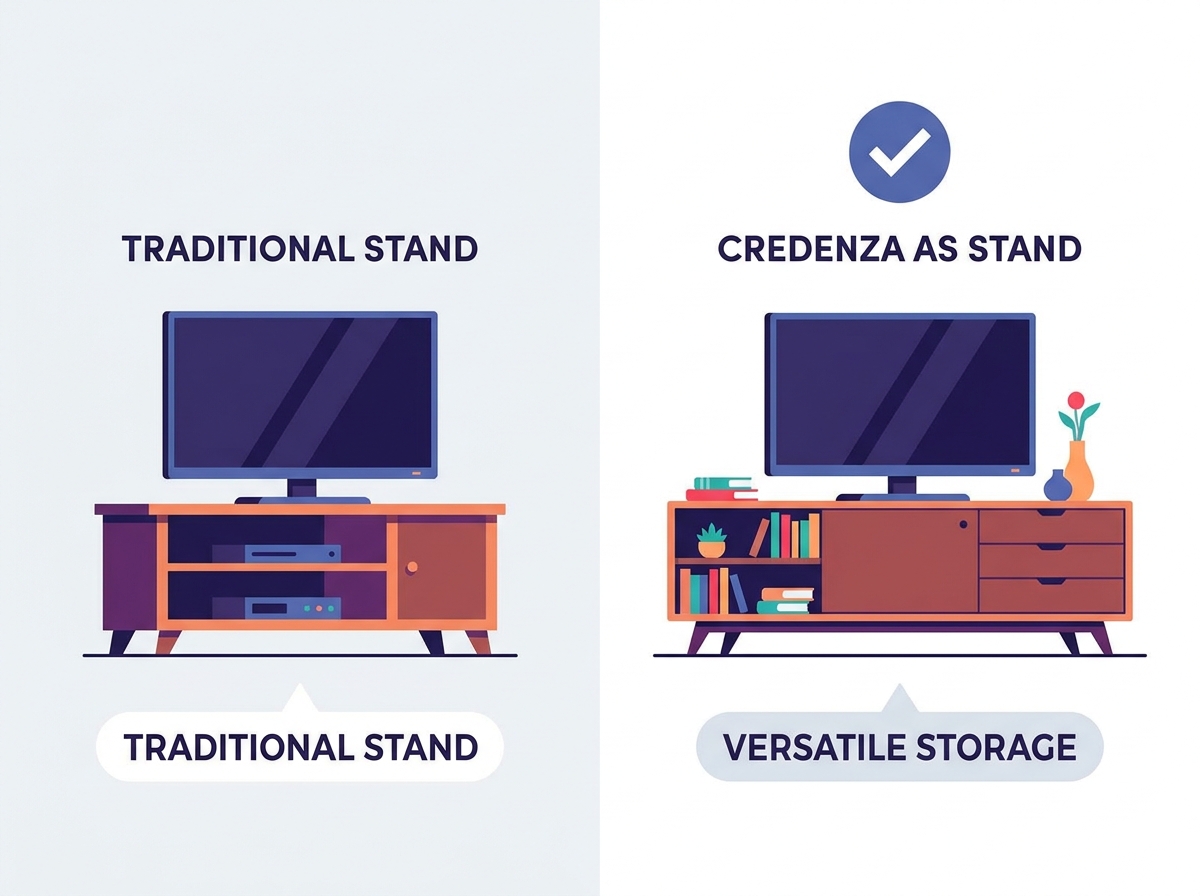
Credenzas offer multi-room TV setup versatility. Whether adapting to a spacious open-concept villa in Dubai or maximizing functionality in a compact Singaporean apartment, they work perfectly in roomy entryways, open living spaces, and primary bedrooms. Utilize the extra surface area of a wide credenza for balanced decor. Flank the screen with books, indoor plants, or ceramic pieces. This minimizes the dreaded black box effect when the screen is off. A well-styled credenza draws the eye to the decor rather than the blank television screen.
In a bedroom, a slightly taller credenza works well because you view the screen from a higher mattress. In an open-concept space, a finished back panel allows the credenza to float in the middle of the room. This acts as a room divider while holding the television. Always consider the traffic flow around the piece. Ensure cabinet doors have enough clearance to open fully without hitting other furniture.
Housing gaming consoles like the PS5 or Xbox Series X in closed cabinets poses severe risks, especially in naturally warmer climates like the Middle East and Africa. Unventilated credenza cabinets trap exhaust heat rapidly. Thermal throttling severely affects hardware lifespan and system performance. You must address airflow before placing high-heat electronics inside solid wood furniture. Modern consoles draw over 200 watts of power under load. That energy converts directly into heat.
If you leave the doors closed, the internal temperature can exceed 100 degrees Fahrenheit within thirty minutes. The console fans will spin at maximum speed, creating loud noise. Eventually, the system will shut down to prevent melting internal components. You must either leave the doors open during use or modify the back panel to allow hot air to escape.
Vintage and dining credenzas feature solid, un-drilled back panels. You face an aesthetic trade-off. Routing cables over the back edge looks messy and can attract dust—a common concern in arid Middle Eastern and African regions. Executing permanent modifications to the furniture piece solves the problem but alters the original item. Choose your approach based on the piece's historical value. If you own a museum-quality antique, do not drill holes in it.
For standard vintage pieces, drilling is the best option. You need to route power cables, HDMI cords, and speaker wire. Without holes, you cannot close the front doors if the equipment sits inside. Plan your cable routes carefully. Group power cables away from audio cables to prevent signal interference. Use adhesive clips to secure wires to the interior walls, keeping them off the shelves.
Solid wood, laminate, or metal doors block infrared remote signals. Your standard remote will not reach the cable box inside. You need reliable workarounds. Using radio frequency remotes, HDMI-CEC control, or IR repeater systems restores full functionality without keeping the doors open. HDMI-CEC allows your television remote to control the volume of a hidden receiver through the HDMI cable.
If your equipment lacks HDMI-CEC, an IR repeater is cheap and effective. You place a tiny receiver on top of the credenza. It catches the remote signal and sends it down a wire to emitters glued over the sensors on your hidden devices. This allows you to keep the solid wood doors closed while maintaining full control over your media system.
Use a hole saw on vintage backing carefully. Apply masking tape over the drill site to prevent splintering valuable wood veneer, which is critical when dealing with premium Southeast Asian or African hardwoods. Strategic placement of cable holes matters. Drill near the top of the interior shelves for clean cord organization. Sand the edges of the hole to prevent cable snagging. A two-inch hole saw provides enough clearance for standard plug heads.
Measure and mark the exact center of the desired hole location.
Apply wide masking tape over the mark on both sides of the back panel.
Drill a small pilot hole through the center mark.
Use the hole saw, applying light, even pressure to cut through the wood.
Remove the tape and sand the inner edges smooth.
Install passive ventilation grilles in the rear panel to exhaust hot air. For high-heat electronics, passive airflow is rarely enough. Mount ultra-quiet, USB-powered cooling fans. Choose temperature-triggered models that activate only when the internal cabinet gets hot. Cut a square hole in the back panel matching the fan dimensions.
Mount the fan to pull hot air out of the cabinet. Ensure there is a secondary gap or hole near the bottom of the cabinet to allow cool air to enter. This creates a continuous airflow loop, an absolute necessity for homes in tropical climates. Plug the fan's USB cable directly into the gaming console or receiver. The fan will turn on automatically when you power up the device.
Retrofit an adjustable center support leg to vintage credenzas. This simple modification handles the concentrated weight of heavy modern TVs. Cut a block of wood or buy a metal furniture leg. Attach it directly to the center bottom frame to prevent top-panel bowing. Measure the exact distance from the floor to the bottom of the credenza.
Purchase an adjustable leg that spans that distance. Screw the mounting plate into the thickest part of the bottom frame. Twist the leg until it makes firm contact with the floor. Do not lift the credenza off its main legs. The center support should just bear the downward weight, not lift the furniture.
Mandatory safety protocols require anchoring heavy credenzas to wall studs. This is vital in households with children or pets. Use discrete safety straps to prevent tipping without ruining the aesthetic. Attach one end to the furniture frame and the other directly into a wooden wall stud or concrete wall (common in Middle Eastern construction). Drywall anchors are not strong enough to hold a falling credenza.
Locate the wall studs using a magnetic stud finder. Mark the stud locations just below the top edge of the credenza. Screw the heavy-duty strap bracket into the solid wood back frame of the furniture. Screw the other bracket into the wall. Pull the nylon strap tight. This prevents the unit from tipping forward if someone pulls on the television.
Audiophiles often own large center-channel speakers, heavy amplifiers, and massive subwoofers. These items require the open architecture of a specialized AV rack. A standard credenza lacks the internal depth and acoustic transparency needed for high-end home theater gear. Large amplifiers generate massive heat and weigh over fifty pounds. They simply do not fit inside standard credenza compartments.
Center channel speakers need to sit directly below the screen, aimed at the listener's ears. Putting a speaker inside a wooden cabinet muffles the dialogue and ruins the soundstage. If you run a dedicated 7.1 surround sound system, buy furniture designed specifically for audio equipment. The acoustic benefits outweigh the aesthetic appeal of a vintage credenza.
Preserving the pristine condition of a valuable, heirloom vintage credenza is sometimes paramount. If no drilling for cables is permitted, repurposing fails. A purpose-built media console is the better investment to keep your vintage pieces completely intact. Running cables over the front or sides of a beautiful antique ruins the visual appeal.
If you rent and cannot anchor heavy furniture to the wall, you face a safety issue. Dedicated media stands often feature wider, more stable bases designed to resist tipping without wall anchors. Protect your security deposit and your antique furniture by choosing the right tool for the job.
In luxury markets across the Middle East and beyond, ultra-large displays are incredibly popular. However, standard wooden credenzas face severe structural limitations when supporting extreme-weight, ultra-wide televisions. Screens exceeding 85 inches exert massive downward force. They also require incredibly wide bases. Dedicated media furniture is engineered specifically to handle these extreme loads safely. A 100-inch television can easily crush the top panel of a hollow-core vintage credenza.
The sheer width of an 85-inch screen makes most credenzas look tiny in comparison. This violates the golden ratio of visual balance. The setup will look top-heavy and precarious. For massive displays, wall mounting is the safest option. If you must use a stand, buy a heavy-duty, steel-reinforced media console designed for large-format screens.
Measure your current television base depth and width to ensure the credenza offers at least a 20% size buffer.
Calculate your ideal seated viewing height to confirm the credenza keeps the center of the screen at eye level.
Assess your AV equipment's ventilation needs and purchase USB-powered cooling fans if housing gaming consoles, crucial for hot climates.
Inspect the credenza's bottom frame and install an adjustable center support leg before placing any heavy equipment on top.
A: Sideboards and buffets are typically taller than credenzas, often measuring 34 to 38 inches high. This may result in a viewing angle that is too high for standard living room sofas, causing neck strain. However, they can work exceptionally well for bedroom setups where the viewing height is naturally elevated.
A: A standard credenza typically holds between 100 to 300 lbs. Emphasize the necessity of checking manufacturer specifications. For vintage pieces, carefully inspect the joinery, leg stability, and center supports before loading heavy electronics.
A: Yes. The furniture should be at least 2 to 3 inches wider on each side of the TV. This prevents tipping hazards, avoids visual top-heaviness, and provides adequate space for balanced decor.
A: Use a hole saw to carefully drill routing holes in the back panel. Utilize cable management boxes, adhesive zip-tie mounts, and route the main power cables discreetly behind the back legs to keep the setup clean and dust-free.
A: Yes, there is a high risk of overheating in closed cabinets. Leave the doors open during active gameplay. Alternatively, install active USB cooling fans in the back panel to pull hot air out of the enclosure.
A: The standard rule is keeping the center of the screen at a 42-inch eye-level from the floor for seated viewing. This aligns perfectly with most 28-to-30-inch credenza heights.


