
 Resources & Catalogs
The heavy, wall-dominating entertainment centers of the early 2000s have largely disappeared from modern floor plans. Homeowners across the globe frequently question whether dedicated media furniture has become obsolete in an era of ultra-thin screens and wireless technology. Especially in rapidly urbanizing and developing markets across Africa, the Middle East, and Southeast Asia, balancing the desire for a minimalist, trend-proof aesthetic with the practical reality of housing large television screens, sound systems, and gaming consoles remains a significant design challenge.
While the bulky unit of the past is outdated, the modern TV stand has evolved remarkably to meet current hardware demands. Contemporary media consoles, floating units, and built-ins offer sophisticated solutions for managing technology without overwhelming a room. Evaluating these modern options requires understanding spatial constraints, hardware dimensions, and functional longevity to ensure the chosen piece enhances the living space while providing necessary support and storage, whether you live in a high-rise condo in Southeast Asia or a spacious villa in the Middle East.
Bulky is Out, Functional is In: Massive, restrictive entertainment centers have been replaced by low-profile, modular, and floating designs that comfortably accommodate larger screens without overwhelming the room's decor.
The Transition from Containment to Support: Unlike past units that tried to enclose the television, the modern TV stand serves to frame the screen beautifully and ground the visual space of your living room.
Mounting Doesn't Eliminate Storage Needs: Even with wall-mounted televisions, a dedicated TV stand or media console remains critical for grounding the visual space, securely hiding cables, and housing essential peripheral devices.
Hardware Dictates Design: The primary driver for selecting a modern media unit is hardware compatibility—specifically ensuring adequate width for modern 65-inch+ screens, depth for AV receivers, and proper ventilation for gaming consoles.
Installation Realities Matter: The choice between freestanding consoles, floating cabinets, and custom built-ins hinges heavily on structural wall integrity, budget considerations, and whether the user is renting an apartment or owns a permanent home.
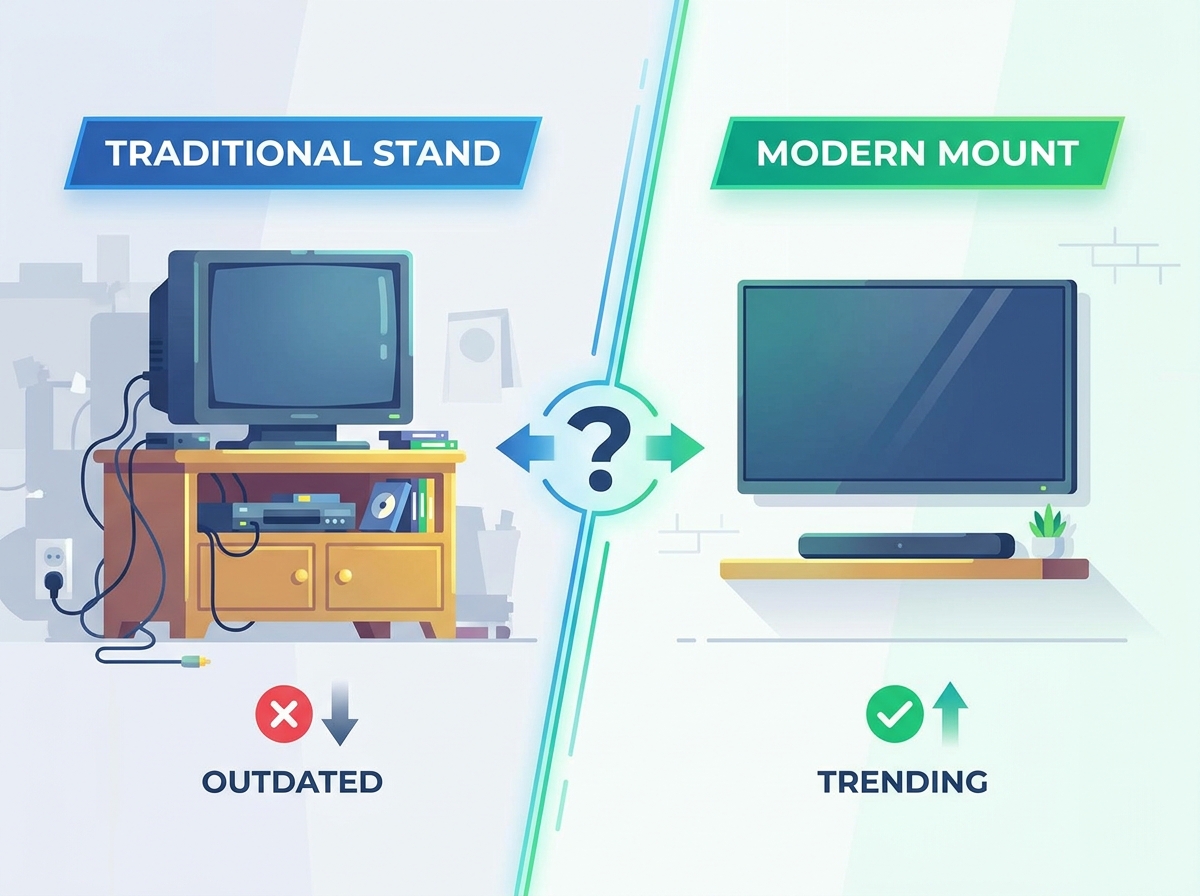
Early 2000s media units fail in today's spaces primarily due to restrictive wooden cubbies and fixed compartments. These rigid structures simply cannot accommodate modern 65-inch to 85-inch screens. The global furniture industry experienced a paradigm shift from containment to framing. Screens outgrew the furniture meant to contain them, forcing a move toward open, low-profile designs. Furthermore, tall, dark, and heavy units create a visual weight problem, making modern, open-concept living spaces—such as contemporary apartments in booming Southeast Asian or African cities—feel cramped and dated.
When you look at older floor plans, the living room was often designed around a massive oak or cherry wall unit. These pieces were built for cathode-ray tube televisions, which required immense depth. Today's flat panels measure mere inches in depth but span over five feet in width. Putting a modern display inside an old entertainment center usually results in the screen protruding awkwardly or simply not fitting at all. The physical footprint of these older units also eats up valuable square footage that could otherwise be utilized.
Mounting a television directly on a large wall without underlying furniture often creates an uncomfortable "floating screen" dilemma. The display looks disproportionate, sterile, and lacks visual anchoring within the room. A localized storage solution remains absolutely necessary for managing routers, soundbars, gaming consoles, and smart home hubs. Success criteria for modern media furniture include seamless cable management, adequate component ventilation, and seamless aesthetic alignment with the broader room design.
Consider the sheer volume of peripheral devices required for a standard home theater setup today. You have the cable box, a streaming device, at least one gaming console, a surround sound receiver, and a power conditioner. All of these require physical space, safe power access, and stable data connections. Without a dedicated media console to house them strategically, you end up with a chaotic, visually unappealing pile of electronics on the floor.
Feature | Traditional Entertainment Center | Modern Media Console |
|---|---|---|
Screen Accommodation | Limited by fixed cubby dimensions (usually max 40 inches) | Open top surface supports 65-inch to 85-inch+ screens |
Visual Weight | Heavy, tall, dominates the entire wall | Low-profile, horizontal, elegantly grounds the space |
Ventilation | Poor; enclosed wooden boxes trap heat | Excellent; slatted doors, open backs, active cooling options |
Cable Management | Basic holes drilled in the back panel | Integrated routing channels, hidden compartments, modern spine systems |
Minimalist media consoles are freestanding, horizontal units typically measuring 18 to 24 inches high. These units serve renters, frequent movers, and rooms requiring flexible layouts exceptionally well. In bustling urban centers across Africa and Southeast Asia where urban mobility is high, these units offer high versatility and zero installation costs. However, they do consume some physical floor space compared to wall-mounted alternatives.
When selecting a freestanding unit, material choice heavily dictates durability. Particularly in the humid climates of Southeast Asia or various African regions, solid wood or high-grade plywood with wood veneer withstands the weight of heavy AV receivers and resists environmental wear much better than standard particleboard. Look for units with adjustable interior shelving. This crucial feature allows you to reconfigure the storage space whenever you upgrade your home theater electronics.
Floating cabinets anchor directly to the wall studs, leaving the floor beneath entirely exposed. This category suits small living rooms, minimalist aesthetics, and spaces utilizing robotic vacuums. In compact condominiums commonly found in densely populated Southeast Asian metropolises, this design creates a brilliant illusion of more space by keeping the floor clear. The drawbacks include strict weight limits and somewhat complex installation requirements.
Installation requires absolute precision. You must properly locate the wall studs and use heavy-duty lag bolts. Drywall anchors alone will never safely support the combined weight of the cabinet, a large television, and internal electronics. If your studs do not align perfectly with your desired mounting location, you may need to open the wall and install horizontal blocking for secure placement.
Modern modular wall units utilize low-profile wall panel systems and modular backings, often featuring seamlessly integrated LED backlighting and floating shelves. Homeowners in the booming, design-conscious real estate markets of the Middle East who desire a high-end integrated look without the permanence or extreme cost of traditional custom millwork often choose this route. This dynamic approach redefines the traditional wall unit with sleek, floating elements, though it does require precise upfront layout planning.
These sophisticated systems often use a French cleat mounting method. This reliably distributes the weight evenly across multiple wall studs. The modular nature allows you to easily add or remove shelving components as your media needs change. Integrated lighting requires careful planning to ensure power supplies remain safely hidden but accessible for routine maintenance.
Custom built-ins feature bespoke millwork with integrated electric fireplaces, cleverly hidden storage, and flush paneling. These architecturally integrated solutions fit best in permanent residences, large open-concept spaces, and high-end renovations. Often seen in affluent neighborhoods across the Middle East and emerging luxury estates in Africa, they provide maximum customization and a truly premium aesthetic. Conversely, they involve high upfront costs, absolute permanence, and a potential lack of future hardware flexibility.
When designing custom built-ins for your living space, always oversize the equipment bays. A home theater receiver that fits perfectly today might be replaced by a significantly larger model tomorrow. Include thoughtfully dedicated conduit runs behind the drywall to comfortably allow for future cable upgrades without ever having to tear open the beautifully finished walls.
Adhering strictly to the industry-standard sizing rule ensures perfect visual balance. The unit should be at least 4 to 8 inches wider than the television on either side to prevent an awkward, top-heavy look. Depth requirements also heavily dictate selection. Standardizing depth for modern AV receivers and ensuring bulky soundbars fit without blocking the lower edge of the screen are absolutely critical functional considerations.
Measure the physical width of your television frame, not the diagonal screen size.
Add a minimum of 8 inches to that measurement to determine your minimum required furniture width.
Measure the maximum depth of your largest electronic component, including the stiff cables plugged into the back.
Ensure the interior depth of the cabinet exceeds that measurement by at least two full inches.
Viewing distance and unit height directly impact your daily ergonomic comfort. Low-profile stands correctly keep the center of the screen at eye level—typically around 42 inches from the floor—for seated viewers. Traffic clearance requires careful evaluation within the room. Cabinet doors or sliding drawers must open fully without impeding walkways or disrupting the natural room flow.
Carefully consider the swing radius of cabinet doors. In tight living spaces, sliding doors or drop-down front panels provide significantly better access without blocking the essential walking path. Ensure there is always at least 36 inches of clear clearance between the front of the unit and the nearest piece of seating furniture.
Choosing between open shelving and closed cabinetry involves practical functional trade-offs. Open shelving provides excellent airflow and direct line-of-sight for IR receivers but remains highly prone to gathering dust and generating visual clutter. Closed cabinetry offers an ultra-clean aesthetic but necessitates IR repeaters or stylish slatted doors for remote signals, alongside extremely careful thermal management.
A smart hybrid approach often works best for most homes. Use closed cabinets to confidently hide messy items like game controllers, physical media, and bulky power strips. Reserve your open shelving exclusively for decorative items or electronic components that run exceptionally hot and require maximum, unrestricted airflow.
Effective cable management relies heavily on built-in routing solutions. Look specifically for pre-drilled grommets, channel routing systems, and easily removable back panels. Thermal management is equally, if not more, important—especially in the warmer climates characteristic of the Middle East, Africa, and Southeast Asia. Passive or active ventilation is strictly necessary for high-heat devices like modern gaming consoles operating inside closed cabinets.
Modern gaming consoles draw significant electrical power and generate substantial heat output. Placing them in a tightly sealed wooden box will inevitably cause thermal throttling and premature hardware failure. If you must use closed cabinets for your setup, properly install USB-powered cooling fans in the back panel to actively exhaust hot air.
Integrating purposeful styling into the selection process successfully softens the intense visual impact of a large, dark television screen when it is turned off. Choose a TV unit that generously allows room for asymmetrical decor, such as elegant art books, small sculptures, or vibrant greenery. Expertly balancing functional storage compartments with styled open shelving areas effortlessly maintains a curated, designer-led home environment.
Current design aesthetics, including fluted wood textures, gracefully curved organic profiles, matte dark metallics, and prominently integrated LED accent lighting, inherently carry a risk of looking somewhat dated within a few short years. Advocating heavily for timeless materials—such as solid oak or rich walnut, subtle matte metal, and high-quality neutral lacquers—maximizes the lifespan of the financial investment and reliably ensures the piece remains relevant as global interior trends shift.
Wood grain direction and final stain color heavily influence the perceived longevity of the piece. A beautiful, natural walnut finish offers far more aesthetic staying power than a heavily distressed or trendy painted finish. Clean, straight architectural lines generally outlast overly complex geometric patterns or excessively ornate hardware detailing.
Comparing lifecycle ROI involves closely evaluating the adaptability of the furniture. A high-quality freestanding console can easily move to a new home or a completely different room as your lifestyle needs change. In contrast, a bespoke media wall undeniably adds potential real estate value but strictly locks in a specific room layout, significantly limiting future interior flexibility.
If you anticipate moving within the next five years, perhaps due to career opportunities in fast-growing global markets, invest wisely in high-quality freestanding furniture. If you are renovating your permanent, forever residence, custom built-ins offer an incredibly seamless look that can dramatically elevate the overall architectural feel and luxury of the space.
Improper anchoring poses a highly significant risk, potentially causing heavy floating units to tear violently away from drywall. Strict mitigation requires mandatory professional stud-finding. Use high-capacity heavy-duty toggle bolts specifically where studs are unfortunately absent, and strictly adhere to the manufacturer's stated weight limits, carefully accounting for both the unit itself and all the heavy gear stored inside.
Never completely trust standard drywall anchors for heavy cantilevered loads. The intense rotational force exerted by a modern floating cabinet fully loaded with electronics will easily pull standard plastic anchors straight out of the wall structure. Always strive to anchor directly to wood or solid metal studs. If dealing specifically with metal studs, which are common in modern high-rises, firmly use specialized toggle anchors meticulously designed for that specific application.
Buying a phenomenally sleek unit but ending up with an ugly tangle of visible cables running down the wall from a mounted television completely ruins the intended minimalist aesthetic. Properly budget upfront for in-wall power and low-voltage cable concealment kits, or strategically select a stand natively featuring an integrated mounting spine to cleverly and effectively manage wires.
Running standard power cords loosely inside the wall violates electrical safety codes in many international jurisdictions. You absolutely must use a thoroughly code-compliant in-wall power extension kit. These clever kits provide a safe recessed outlet right behind the television and a corresponding inlet down near the floor, elegantly allowing you to safely hide the primary power connection without breaking any rules.
Carefully measure the exact physical width of your television frame and ensure your new furniture is at least 4 to 8 inches wider on each side for optimal visual harmony.
Thoroughly audit your AV receivers and modern gaming consoles for depth dimensions and heat output to verify the cabinet undoubtedly provides adequate physical clearance and superior ventilation.
Accurately locate and permanently mark the wall studs in your intended installation area before purchasing any heavy floating or wall-mounted designs.
Professionally install a code-compliant in-wall power kit to cleanly hide all cables if you confidently plan to mount the display directly above the console.
A: Yes. A dedicated media console beautifully grounds the visual space, efficiently hides unsightly cables, and securely houses essential peripheral devices like soundbars, modern gaming consoles, and routers that simply cannot be easily wall-mounted.
A: The furniture should ideally be at least 4 to 8 inches wider than the television on either side. This golden rule actively prevents a top-heavy appearance and maintains excellent visual balance in your living room.
A: The heavy, physically restrictive wooden cubbies of the early 2000s are generally considered outdated because they simply cannot fit modern large-format screens. However, sleek, aesthetically modern modular wall units and custom built-ins remain highly popular and practical for larger residential spaces.
A: Floating cabinets are often considered ideal for small living rooms, particularly in compact urban apartments. By keeping the floor entirely exposed, they cleverly create an optical illusion of more space and allow for incredibly easy cleaning underneath.
A: Utilize safe in-wall power kits, sleek low-voltage cable concealment channels, or simply choose a smartly designed low-profile console that features an integrated mounting spine and pre-drilled routing grommets for effortless wire management.


